
Linn Kandid Stylus Cleaning – What a Microscope Reveals
A customer recently contacted us for turntable service because their Linn Sondek LP12 wasn't tracking records as well as it should.
What we discovered under the microscope was quite revealing.
The problem? A significant build-up of debris around the diamond stylus of their Linn Kandid moving coil cartridge.
Fortunately, some careful cleaning with Linn's Green Stylus Cleaning Paper made a dramatic difference to its appearance and performance.
The first inspection – something isn't right
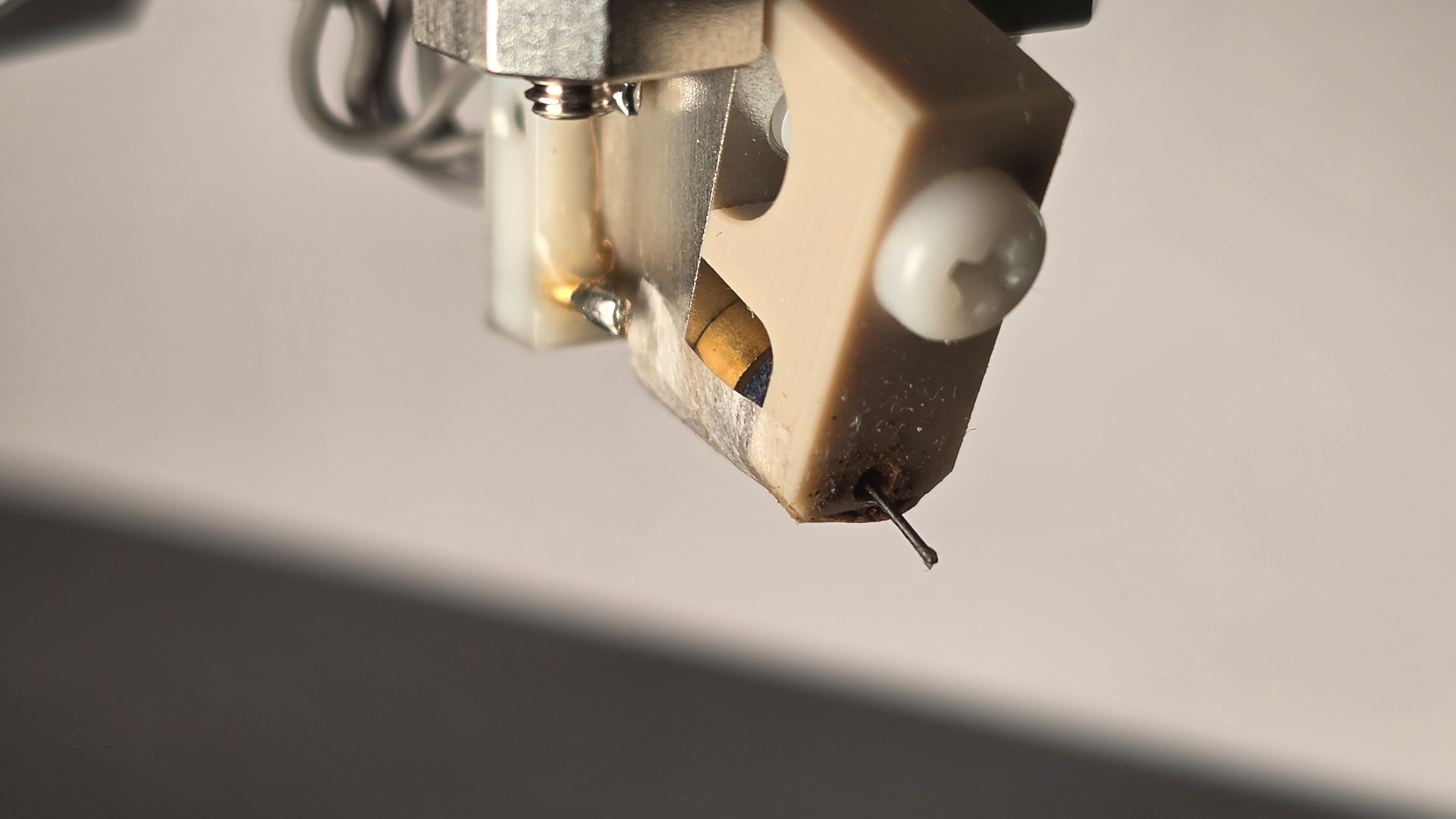
Our initial inspection using the naked eye, followed by a mobile phone camera, suggested that the stylus was heavily contaminated.
Even without specialist equipment, it was clear that something had accumulated around the tip.
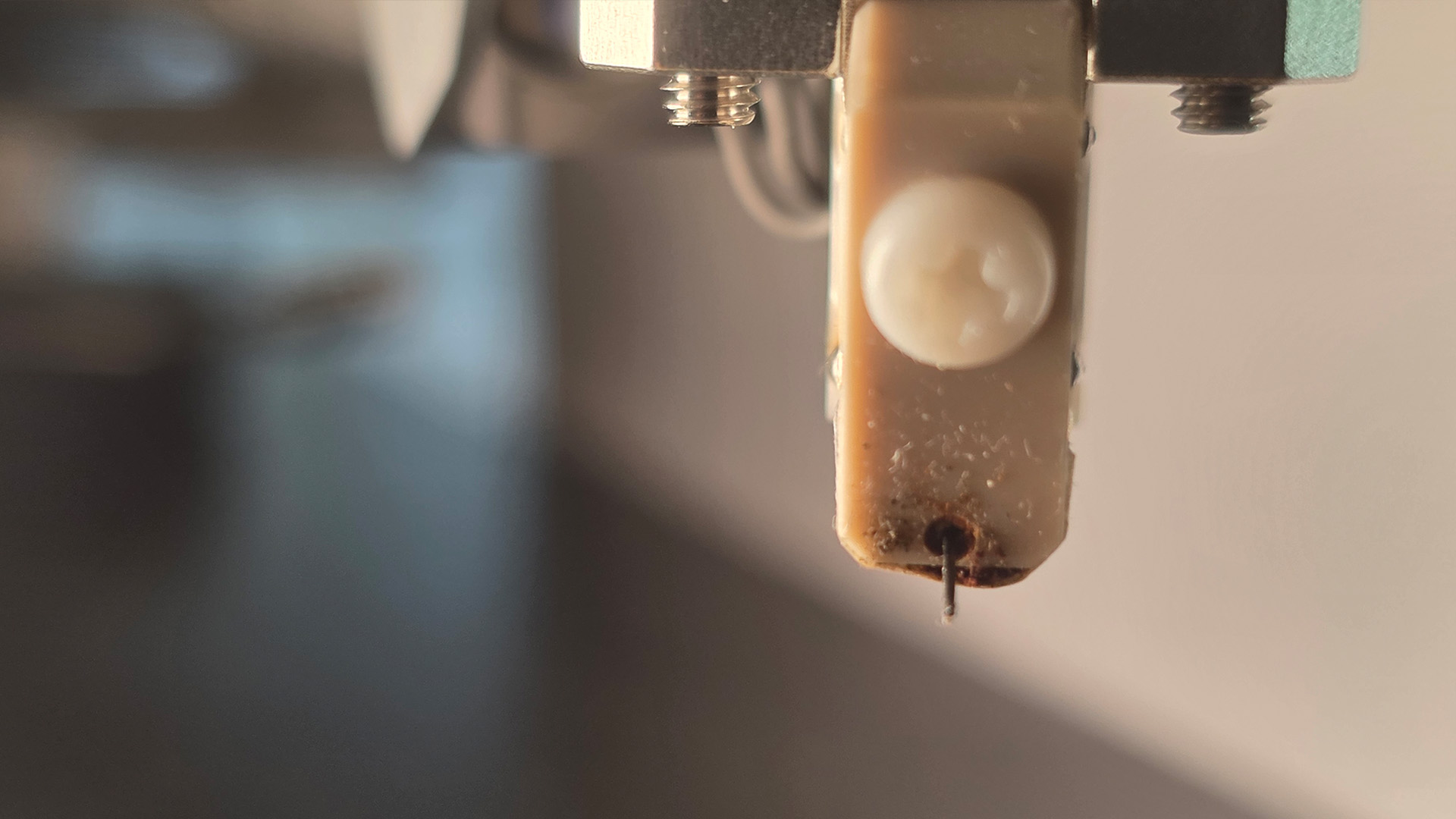
Linn Kandid cartridge before cleaning, photographed using a mobile phone.
Under the microscope – the real problem revealed
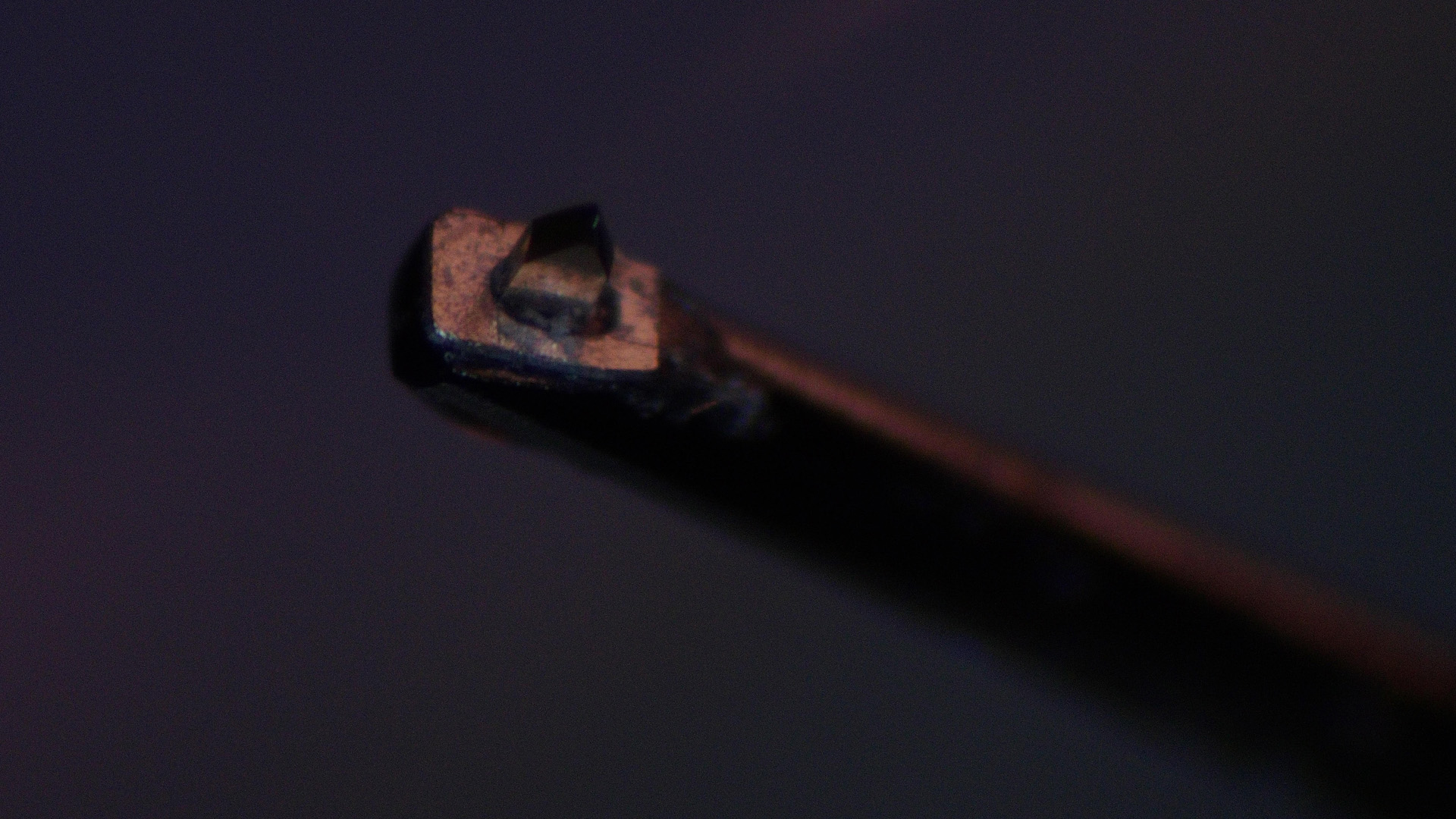
We then examined the Kandid stylus under a microscope.
The magnification revealed just how much material had accumulated around the diamond. Rather than seeing a clearly defined stylus tip, we found it almost completely surrounded by debris.
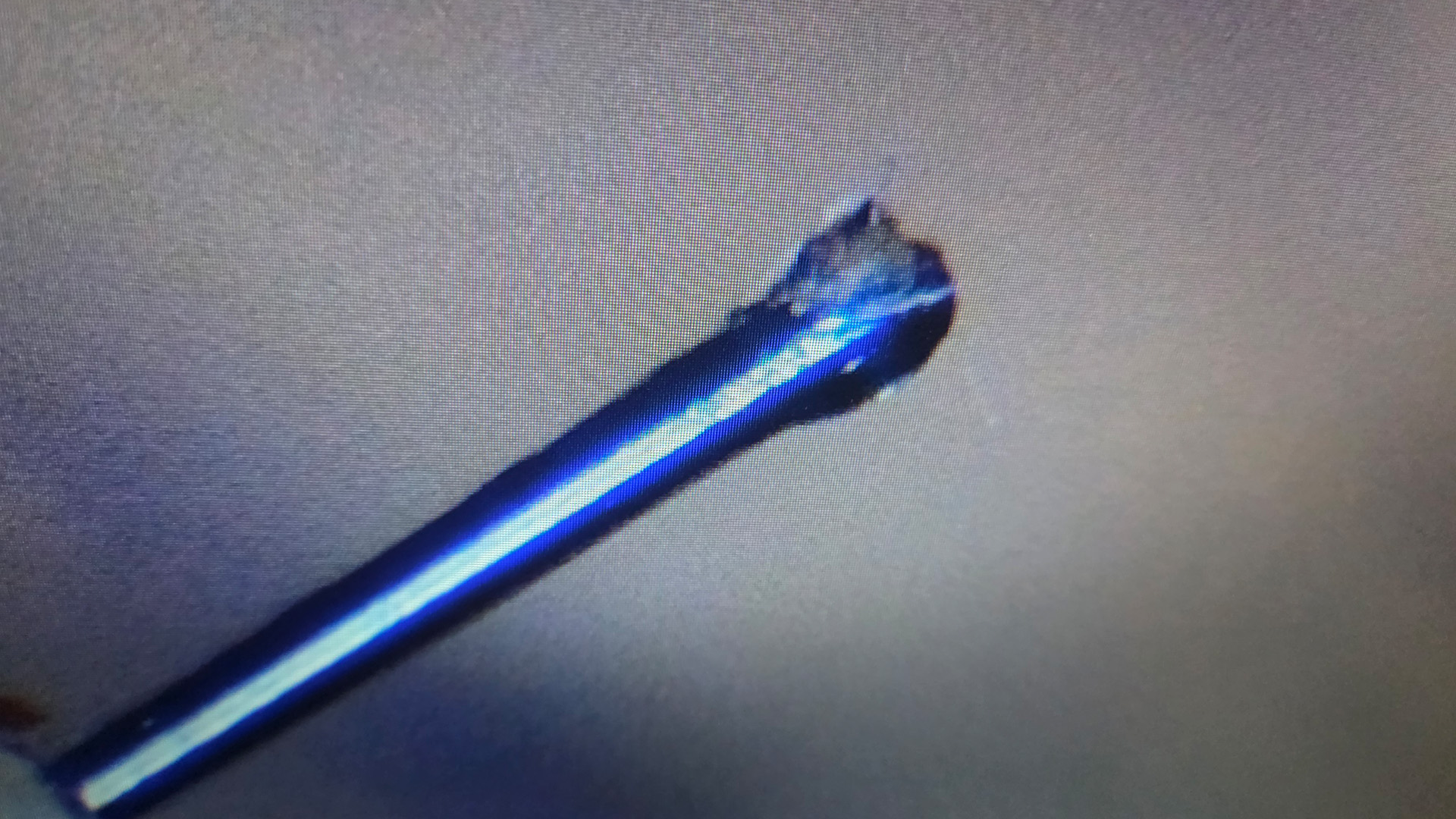
A stylus needs to make precise contact with the record groove. A significant build-up of dirt can interfere with tracking and will affect sound quality.
Linn has long recommended its special Green Stylus Cleaning Paper as a method of removing deposits from a stylus.
In this case, we carefully used the paper to remove the accumulated material, inspecting the diamond under the microscope as we progressed.
Gently using Linn Green paper starts to clear the debris:
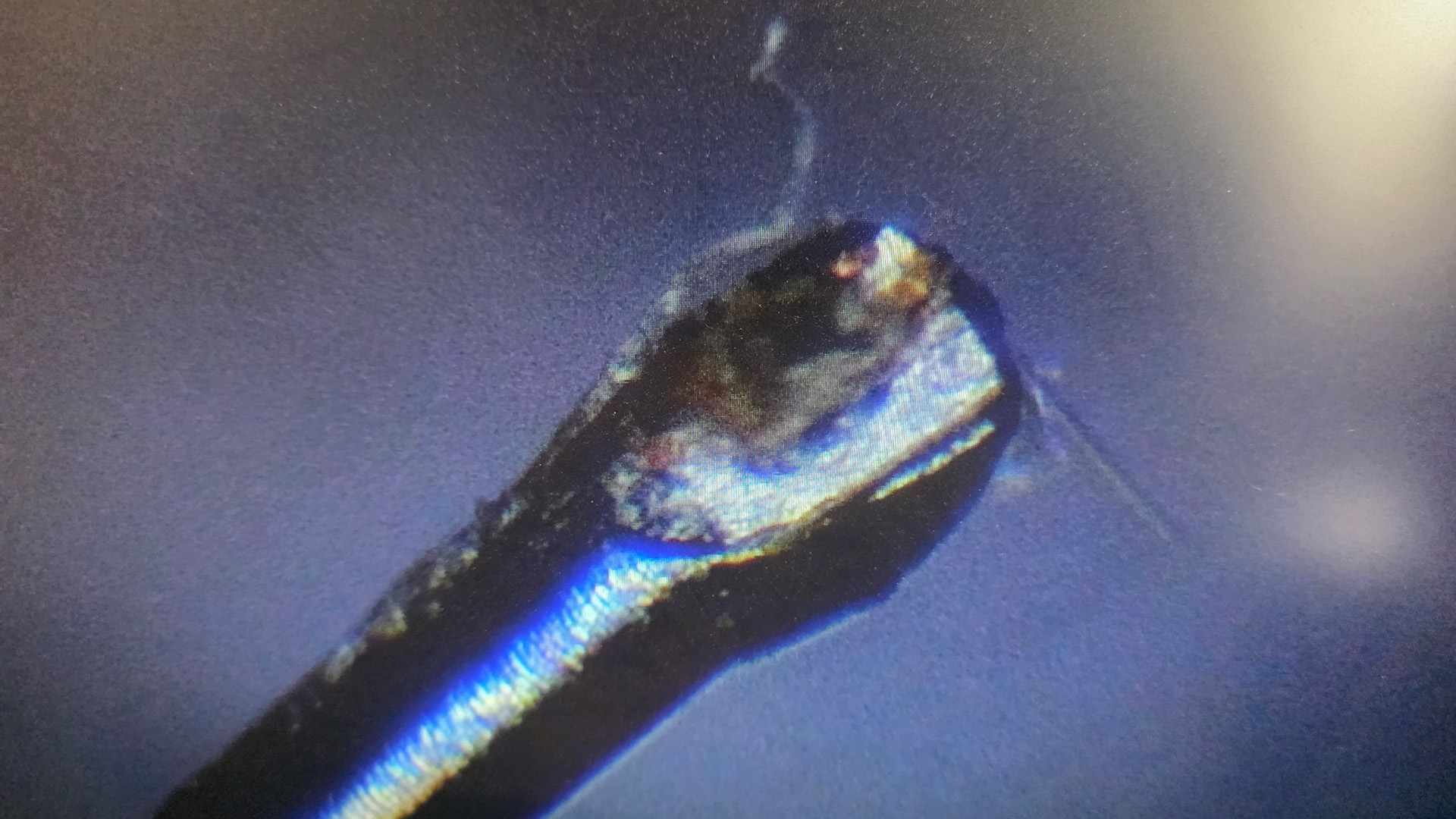
There was still material remaining, so we continued carefully. A bit more...
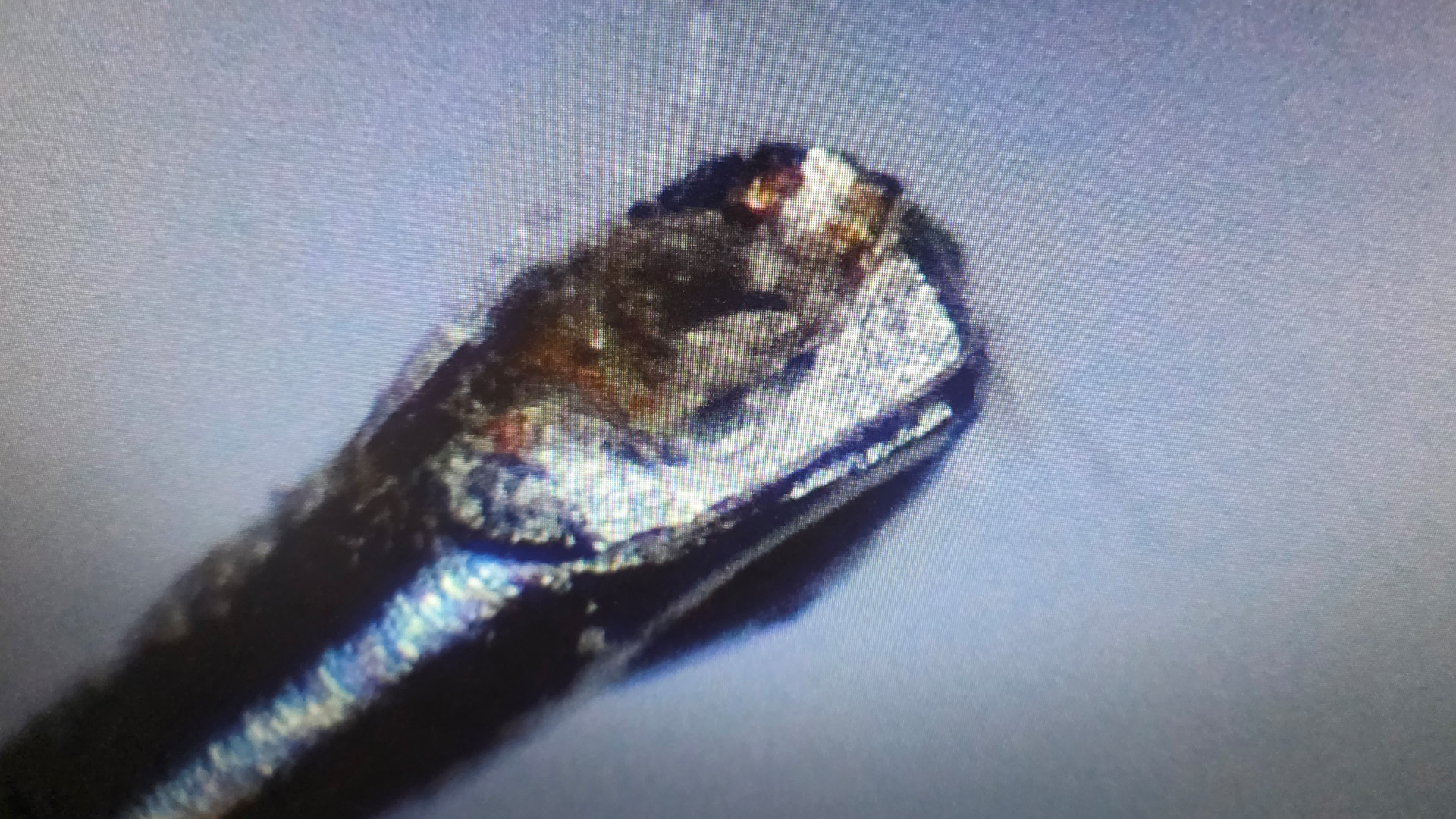
The final result – a much cleaner Kandid
After further careful cleaning, the microscope revealed a dramatically cleaner stylus.
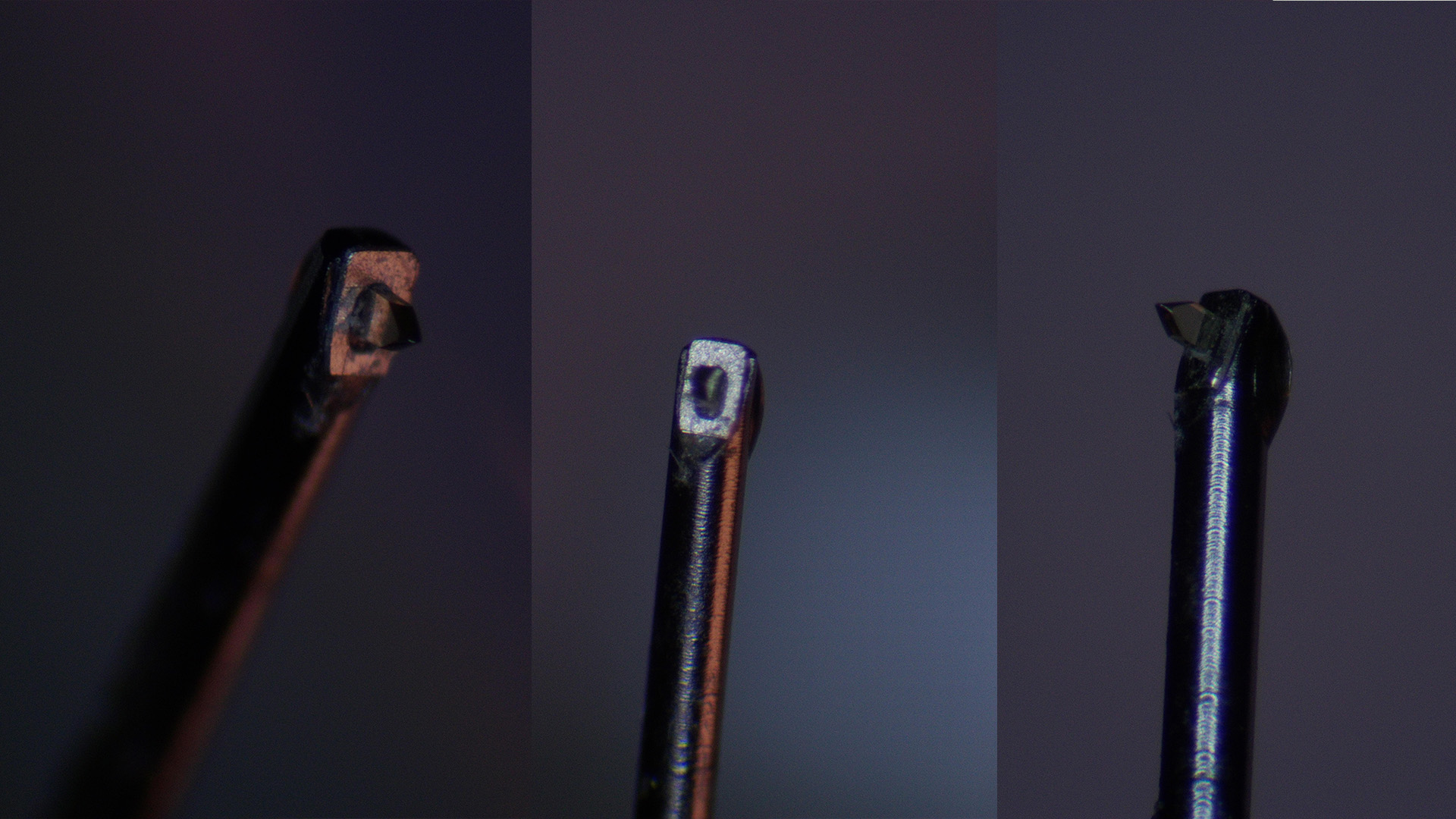
Why keeping your stylus clean matters
The stylus is the point of contact between your record and your hi-fi system.
Even a sophisticated moving coil cartridge such as the Linn Kandid relies on its tiny diamond tip accurately following the record groove.
Accumulated dirt can contribute to:
- Poor tracking and increased distortion
- Reduced clarity and detail
- Unwanted surface noise
- Potential additional wear to records and the stylus
Regular inspection and appropriate cleaning (records and stylus) can help maintain performance.
A word of caution
High-performance moving coil cartridges are delicate and expensive components.
Stylus cleaning should always follow the manufacturer's guidance. Avoid excessive pressure, sideways movement or improvised cleaning methods that could damage the diamond or cantilever.
If you are unsure about cleaning your cartridge, contact Ripcaster for advice.
Using Linn Green Paper
- Cut a strip of green paper approximately 20mm x 40mm in size.
- Support the strip at one end only.
- Applying minimal force, draw it gently in the direction a record would be played (from back towards front) across the stylus tip, taking care to avoid touching any other areas of the cartridge.
- This method will clean and polish the stylus tip.
Cartridge Care
We follow Linn's recommendations:
- Do not blow dust off the stylus as this can blow dirt and moisture inside the mechanism and clog up the coils.
- Using Linn ‘green stylus paper’ to clean the stylus.
- A dry, ultra-sonic stylus cleaner can be used in accordance with the manufacturer’s instructions. It should be used dry. Any liquid supplied with it should only be used to clean the pad after use. This method will clean the complete diamond if used for 3 - 5 minutes.
- Linn's general advice is to avoid using any wet cleaners as we have found that liquids can corrode some cantilevers, drastically reducing the lifespan of the cartridge. Liquids can also travel up the cantilever and affect the cartridge suspension. Particular care should be taken to prevent any liquids from coming into contact with aluminium tube cantilevers.
Is your Linn LP12 performing at its best?
If your LP12 has started sounding distorted, mistracking or simply not performing as you remember, a contaminated stylus could be one possible cause.
However, tracking problems can also result from cartridge wear, incorrect setup or other mechanical issues.
At Ripcaster, we can help assess your Linn turntable and advise on suitable maintenance, servicing and upgrades.
Contact Ripcaster on 0118 321 82 92 or email info@ripcaster.co.uk.
Ripcaster – Linn specialist retailer, Checkendon, near Reading and Oxford.